On September 3, the Movie And Television Review And Classification Board (MTRCB) told lawmakers at the Senate trade committee hearing that they were seeking to "regulate" streaming services such as Netflix.
"Stream services like Netflix are video on demand platforms. We have to regulate those platforms. We have to ensure that those materials being shown on those platforms are compliant with MTRCB laws," said MTRCB's legal affairs division chief, Jonathan Presquito. (via reportr.world)
READ MORE!
11 Signs You're Spending Too Much Time On Netflix
Here's How You Can Put A ~PIN~ On Your Netflix Profile To Make It *More Private*
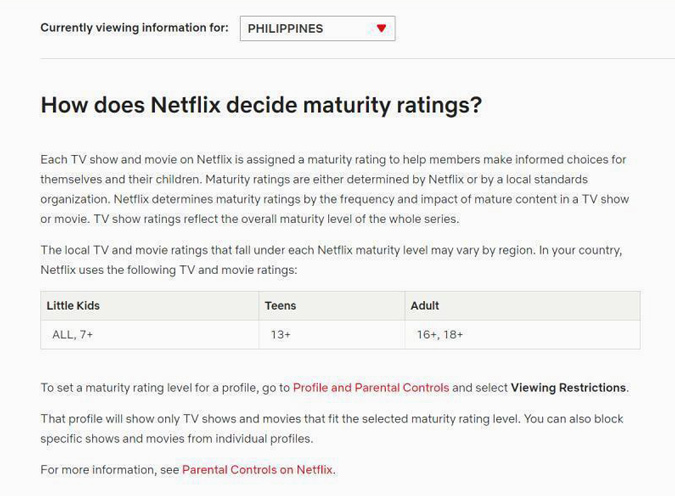
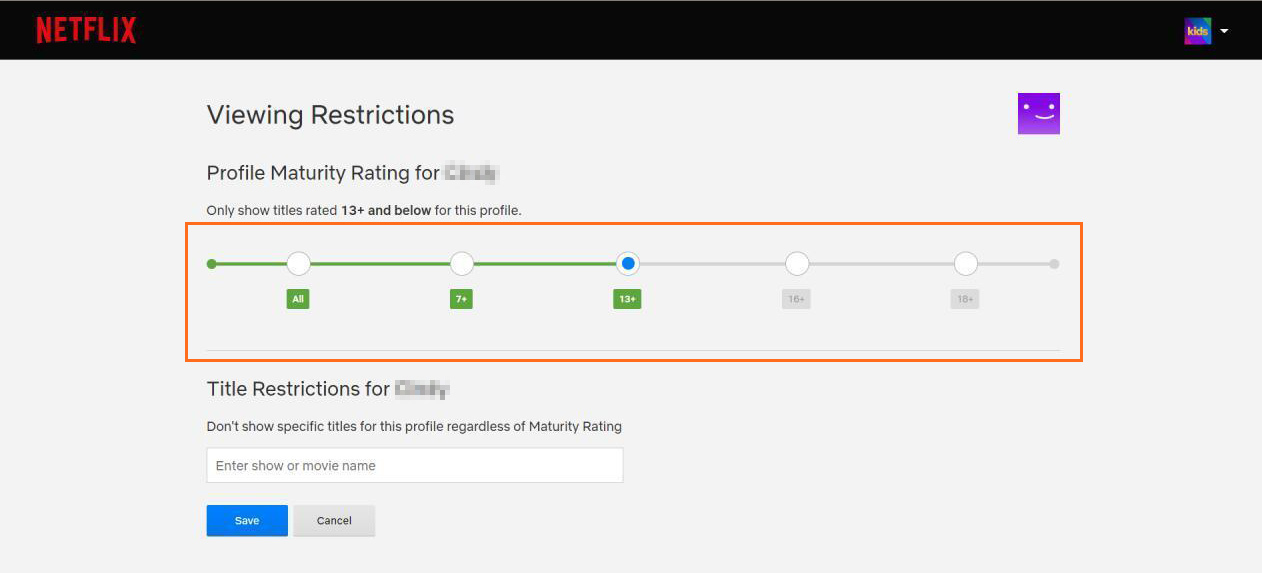
Those who are familiar with the platform would know that Netflix already has a pre-existing regulatory framework that promotes consumer choice and protects consumer interests. You would have noticed that each title available on Netflix—may they be TV shows or movies—has a specified MATURITY RATING written on its description. These ratings, as stated by Netflix's Help Center, "vary by region" and are "either determined by Netflix or by a local standards organization." For the Philippines, we have five maturity ratings under three age groups: Little Kids (ALL, 7+), Teens (13+), and Adults (16+, 18+).
There are also several ways we can set boundaries on what content we or those we share our accounts with consume—especially families with young viewers.
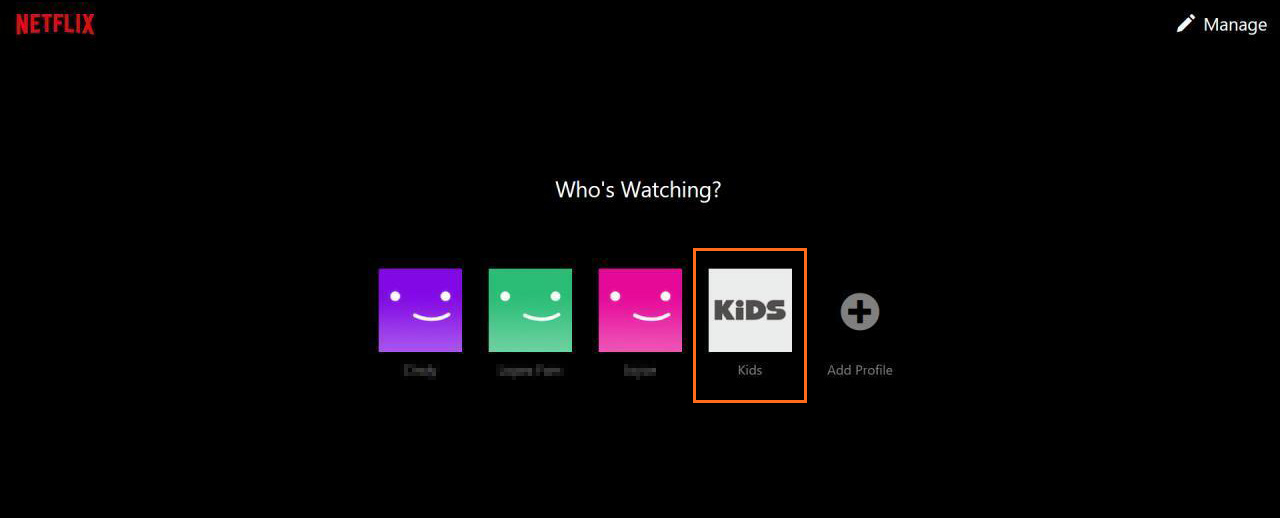
Kids Profile
Netflix accounts all come with a default KIDS profile that only consists of children-friendly titles.
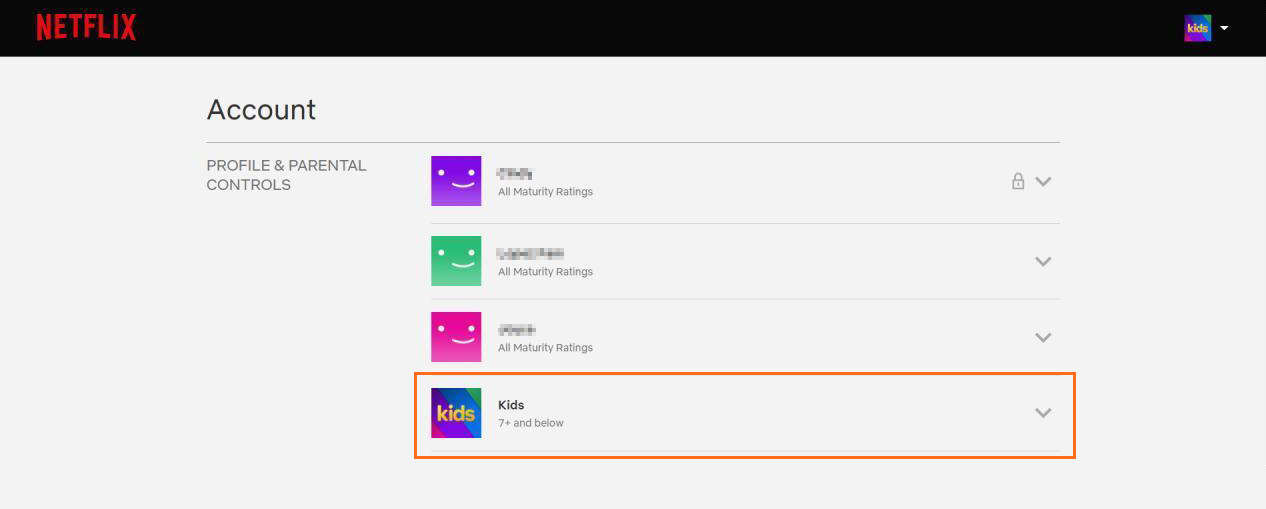
Profile Hub
You can actually customize controls for each profile. Just click your account's SETTINGS and then PROFILE & PARENTAL CONTROLS.
Profile Lock
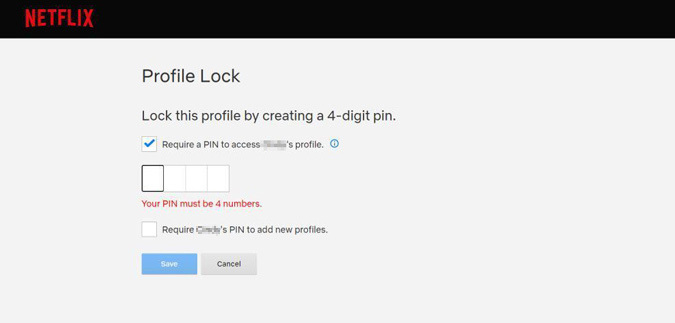
Profiles can be locked with a unique four-digit PIN. Under PROFILE & PARENTAL CONTROLS, click PROFILE LOCK, then select CHANGE.
Content Restrictions
Still within PROFILE & PARENTAL CONTROLS, you can filter the content of each profile with the different MATURITY RATINGS.
Turn Off Autoplay
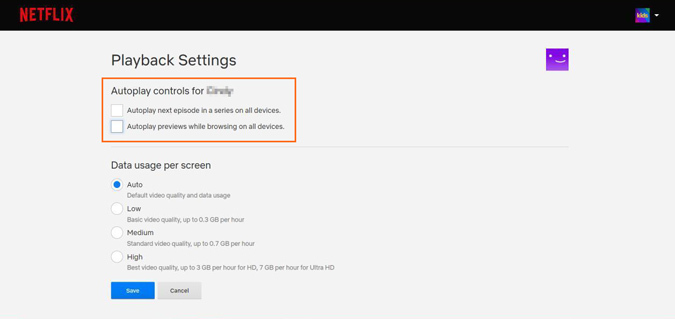
You have the option to tweak autoplay on specific profiles, just go to PLAYBACK SETTINGS and tick the control boxes.
Viewing Activity
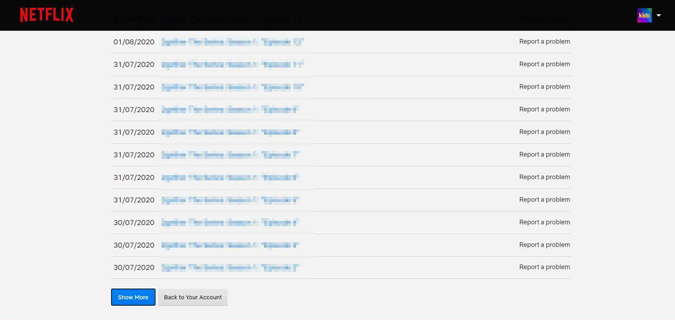
Under PROFILE & PARENTAL CONTROLS, you can see the COMPLETE VIEWING HISTORY of each profile.
***
What does your zodiac sign say about you? Subscribe to Cosmopolitan Philippines and find out!
Follow Jacinda on Instagram.