
Every now and then, a fun new trend pops up on Tiktok, from dance crazes and cool transitions to fashion microtrends and absurd beauty hacks-and sometimes, something downright sentimental. With the use of the platform SendTheSong.xyz, Internet users are posting screenshots of anonymous song dedications-messages set to music that feel personal and a little mysterious.
If you've noticed these posts in your feed and wondered if someone has dedicated a song to you, here's a guide to using SendTheSong.xyz and even sending a song yourself.
ALSO READ: You Can Now Add Music To Your Profile On Instagram
What Is SendTheSong.xyz?
SendTheSong.xyz is an Indonesian platform that lets users send anonymous messages with a selected song to others, creating a sentimental way to share feelings. The platform recently gained popularity on social media, especially on TikTok and X (formerly Twitter), where users share these musical messages publicly, often through screenshots, adding to its viral spread.
This appeal comes not only from the anonymity but also from the thrill of a mystery-many recipients may have no idea who dedicated the song to them.
How to Use SendTheSong.xyz
The concept is straightforward: Visitors to the site choose a song and write a message, which is then sent to a recipient without revealing the sender's identity.
1. Visit SendTheSong.xyz
The website has a clean, easy-to-navigate interface.
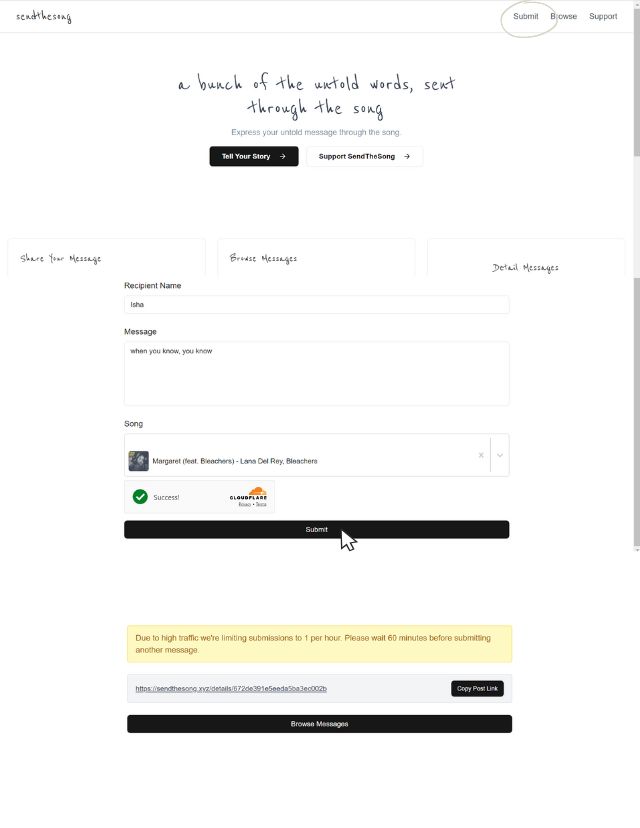
2. Write Your Message
The magic of SendTheSong.xyz is in the message. Write something meaningful, witty, or even cryptic; your identity will remain hidden.
3. Choose a Song
Select a song that captures the mood or message you want to send.
4. Send the Dedication
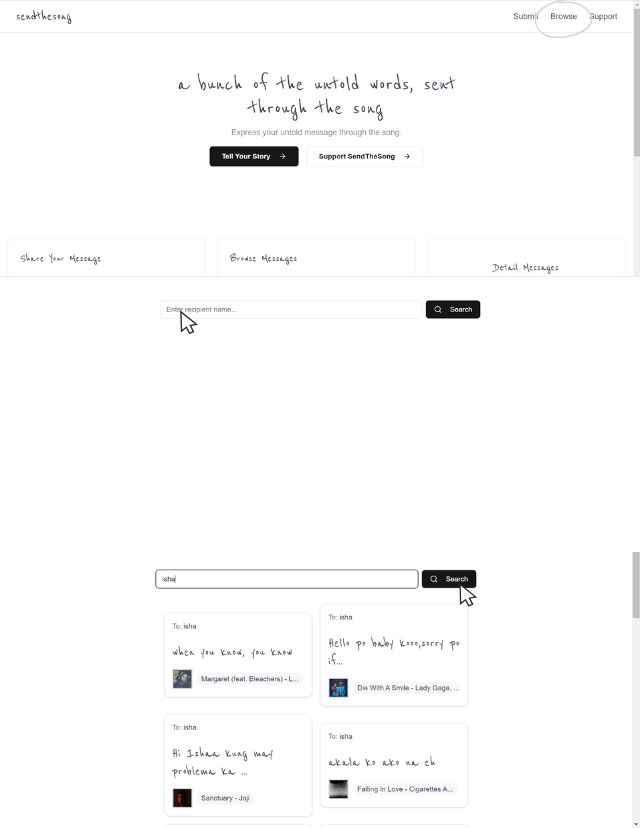
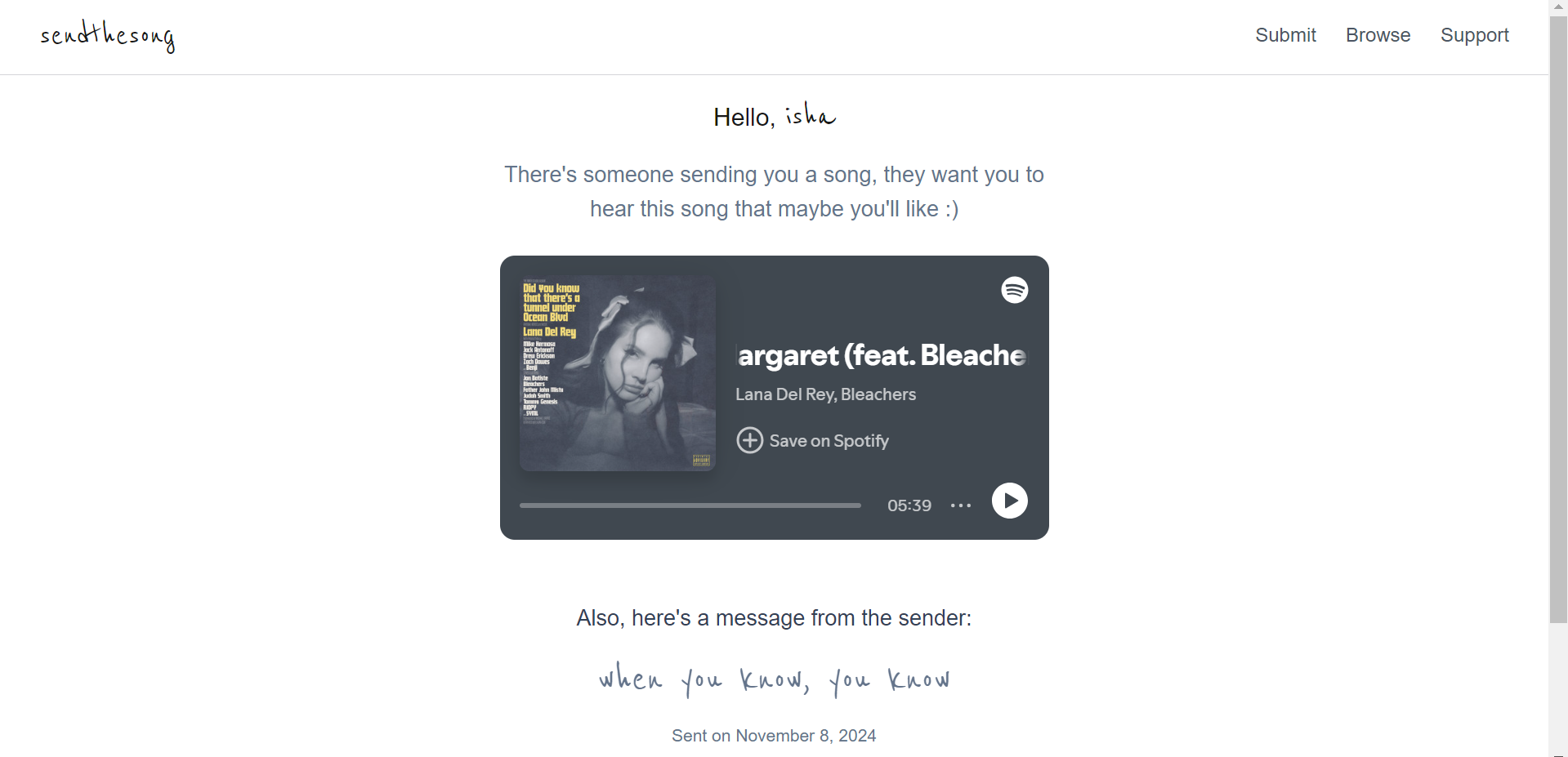
Once you're ready, submit the dedication. The recipient can access the message on SendTheSong.xyz by entering their name in the search bar, and they'll receive a link to the message. The best part is it's free to use!
Have you sent or received a song dedication yet? Give it a try and see what all the hype is about!